When you start FileLocator Pro you'll be prompted to choose whether to run the program in Trial, Professional, or Lite mode via the License Type dialog.
Note: This documentation is primarily describes the Professional functionality but also applies to Lite functionality where available.
Assuming you choose the Trial or Professional mode the program will look something like this:
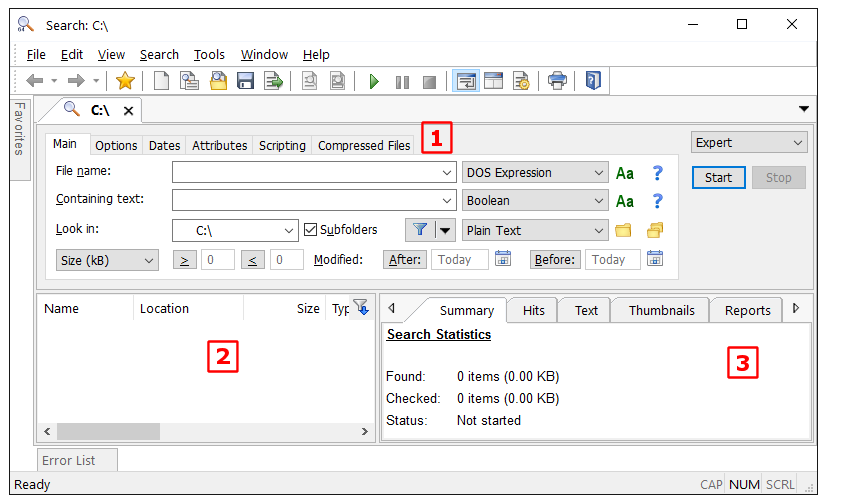
The interface is broken up into three main sections:
|
Criteria view, used to enter search criteria. Depending on the criteria type you will see the Advanced Interface (default), the Basic Interface, or the Index Interface. |
|
File list view, displays files found during search. |
|
Contents view, displays various information about the search and the found files currently selected in File List view. |


Note: To change the look and feel of FileLocator Pro use the User Interface Settings.